Knowing how to change your Google search location is a fundamental skill for anyone who needs to see search results from a different city, state, or even country. It’s all about telling Google where you want to be, not just where you are, by using browser settings, developer tools, or specialized software to get a clear view of local search results from anywhere in the world.
Why Changing Your Google Search Location Matters
Let's be honest, Google's automatic location detection is pretty good, but it's not always what you need. For anyone working in marketing, local SEO, or PR, manually setting your Google Search location is a total game-changer. This isn't just a neat technical trick; it's a strategic necessity if your success is tied to local search performance.
The need for this has exploded right alongside a massive shift in how people search. 'Near me' searches have shot up a staggering 900% over the last two years, which tells you everything you need to know about how much users rely on Google for immediate, local answers.
In fact, 46% of all Google searches are for local information. This means businesses can become completely invisible if their online presence doesn't line up with what users are seeing in a specific area.
Verifying Your Local Visibility
Imagine you run a chain of coffee shops in New York, but you're planning to expand into Chicago. From your office in Manhattan, searching for "best espresso" is only going to show you local NYC cafes. To actually understand the competitive landscape in your target market, you need to see the search results as if you were standing on a street corner in Chicago.
This is a perfect example of why changing your location is so vital. It allows you to perform:
- Competitor Analysis: Pinpoint the top-ranking local competitors in a new market.
- Local SEO Audits: Confirm that your business listings are showing up correctly for users in different cities.
- Ad Campaign Testing: Make sure your geographically targeted ads are actually displaying to the right audience. Understanding the nuances of tools like AdWords location targeting really highlights why this is so critical for any business running paid campaigns.
Take a look at a standard Google search result page. The location displayed at the very bottom is what dictates everything you see above it.
That simple location marker is the key to knowing which version of Google's world you're currently looking at.
The Impact of AI on Local Search
The rise of AI-driven search, like Google's AI Overviews, adds a whole new layer of complexity. These systems generate direct answers based on hyper-local data. An AI might recommend a "top-rated plumber in Brooklyn" based on information it pulls for that exact geographic query. If your business information is inconsistent, you'll simply be left out of these crucial recommendations.
Precise location testing is no longer just about ranking in the top ten blue links. It's about ensuring AI assistants represent your brand accurately and favorably to customers in every neighborhood you serve.
Monitoring what these AI models are saying about your brand across different regions is quickly becoming a critical task. For agencies juggling multiple clients, it's especially important to look into solutions for LLM visibility tracking to stay ahead of the curve. The practical methods we'll cover next will give you the power to tackle these challenges head-on.
Everyday Methods for Quick Location Changes
You don’t always need a complex tool for a simple job. When you want to change your Google search location, sometimes the easiest methods are already built into the browser you're using every day.
These approaches are perfect for quick checks, like scouting competitors in a nearby town or just satisfying your curiosity about what the search results look like in another country—all without installing any new software.
Let’s start with the most direct method. After you run any search, just scroll to the very bottom of the results page. You’ll see the location Google has detected for you. Clicking on it lets you update your precise location or, more usefully for us, jump into the Search Settings to manually set a new region.
This simple tweak tells Google to serve results as if you were searching from that country. It’s a fantastic first step for broad, country-level analysis.
Using Google Search Tools for Fast Filtering
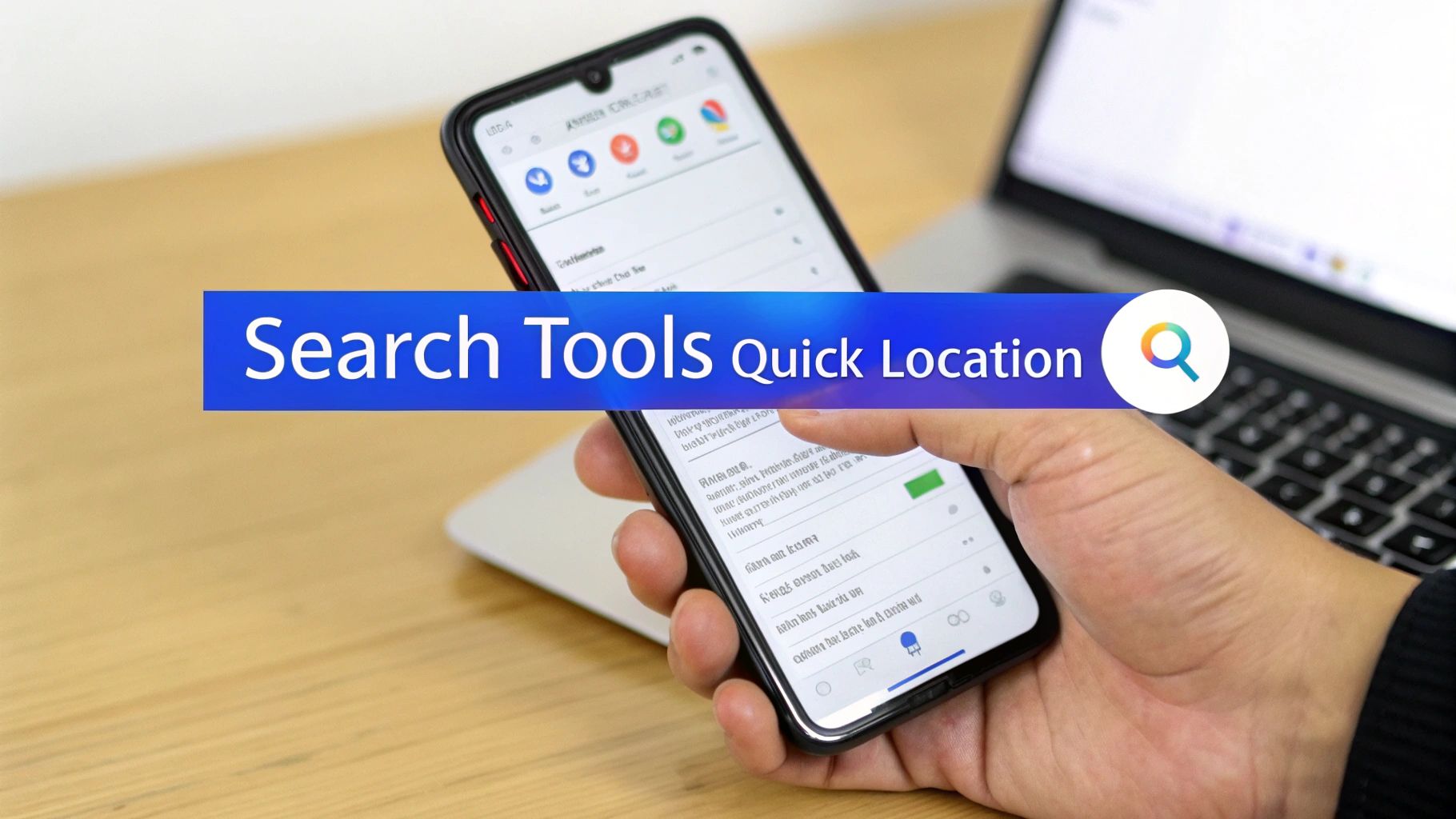
Another incredibly handy feature is Google's own 'Search Tools'. This option pops up right under the search bar after you’ve hit enter, giving you a fast, non-technical way to filter results by country on the fly.
Imagine you own a custom bakery in San Diego. You could search for "custom bakery" and then use the Search Tools to instantly see the results from "Mexico." It’s a super quick way to get a snapshot of the competitive landscape just across the border.
The process couldn't be simpler:
- Type your search query and press Enter.
- Click the Tools button, which you'll find on the right side of the navigation bar, just below the search box.
- A new menu will appear. Click the dropdown that says "Any country" (or your current country).
- Pick a new country from the list, and the search results will refresh instantly.
This method is ideal for quick comparisons because it doesn't require changing any permanent settings in your Google account or browser.
To help you decide which of these simple methods to use, here's a quick comparison.
Comparing Simple Location Change Methods
| Method | Best For | Precision Level | Technical Skill |
|---|---|---|---|
| Search Settings | Setting a default search country for a session. | Country-level | Beginner |
| Search Tools | Quick, one-off searches for different countries. | Country-level | Beginner |
Both are great starting points, but it's important to know their limits before you rely on them for serious local SEO work.
Where These Everyday Methods Fall Short
While these built-in features are convenient, it's crucial to understand what they can't do. They are designed for broad, country-level changes and lack the pinpoint accuracy needed for hyper-local SEO analysis.
They won't simulate the GPS precision of a mobile device, which means you can't reliably check search results for a specific neighborhood, zip code, or street corner.
These simple methods are your first line of attack for casual location changes. They offer a great overview of a different country's SERP but fall short when you need granular, city-level data to verify your exact local visibility.
This matters immensely for local businesses. Recent data reveals a survival mindset among small businesses, with searches for terms like "disappearing listings" and "suspended profiles" soaring as algorithm tweaks cause constant visibility headaches.
With 76% of local mobile searches leading to a store visit within 24 hours, making sure you appear correctly in specific locations isn't just a goal—it's non-negotiable. You can learn more about the challenges local businesses are facing from these findings on OCNJ Daily.
For that kind of precise control, you’ll need the more advanced techniques we cover next.
Advanced Techniques for Pinpoint Geotargeting
Alright, so the basic methods are fine for a quick peek, but if you're a serious digital marketer or SEO, "good enough" doesn't cut it. When you need to see exactly what a potential customer sees—not just in their city, but in their specific neighborhood—it's time to get a bit more technical.
This is where we move beyond simple settings and start using browser tools and URL manipulation for hyper-local precision.
Imagine you're running a campaign for a client with a chain of pizzerias in Chicago. Checking their rank for "pizza delivery" from a generic "Chicago" location is useless. You need to know how they show up in the Loop versus Lincoln Park. These advanced techniques give you that street-corner perspective.
Overriding Geolocation in Chrome Developer Tools
One of the most powerful tools for this is already built right into your browser. Google Chrome’s Developer Tools lets you manually tell your browser where you are, down to the exact latitude and longitude.
This is my go-to method for testing hyper-local search results without firing up a VPN. You can instantly simulate a search from a precise address, a local landmark, or even a competitor's storefront to get an unfiltered look at the local search results.
Here’s how you do it:
- On a Google search page, open Developer Tools. You can right-click anywhere and hit "Inspect," or use the shortcut (
Ctrl+Shift+Ion Windows,Cmd+Option+Ion Mac). - Click the three vertical dots in the corner of the DevTools panel, head to "More tools," and then select "Sensors."
- Look for the "Location" dropdown. You can pick a preset city like London or, for real precision, choose "Other…" to plug in custom latitude and longitude coordinates.
Once you’ve set your new location, just refresh the Google search page and click "Update location" at the bottom of the results. You'll instantly see the SERP from your new, simulated viewpoint.
This screenshot shows exactly where to find the Sensors panel in Chrome Developer Tools to override your location.
By selecting "Other…" in that dropdown, you get the granular control to input any coordinates you need for truly precise testing.
Harnessing Google Search URL Parameters
Another incredibly effective technique involves editing the Google Search URL directly. By adding a specific code—a URL parameter—you can command Google to serve results for a specific location, completely bypassing its automatic location detection.
The magic parameter here is &uule=. This string of characters might look like gibberish, but it's actually an encoded value representing a precise geographic location. Don't worry, you don't have to figure out how to create them yourself; several free online tools can generate a uule code for any city or address you give them.
For example, an SEO specialist working on a local campaign could generate a uule code for "Austin, Texas," tack it onto their search query URL, and instantly force Google to show the exact SERP a user in Austin sees. It’s perfect for local keyword research and rank tracking.
Using URL parameters is like giving Google a direct order. It removes the guesswork of other methods and gives you a repeatable, consistent way to check rankings from any location, right in your browser.
This level of detail is more critical than ever. For instance, something as simple as a business's operating hours has become a massive local ranking factor. Mismatched hours can cause rankings to tank by up to 11 spots just before closing time, and businesses that appear closed can vanish from the local pack entirely.
Getting this right is huge. Landing in one of the top three local pack spots can boost your traffic by a staggering 126%. You can dig into more stats like this in this local SEO statistics report on WiserReview.
These two methods—Developer Tools and URL parameters—give you the surgical precision needed for serious local SEO. They transform changing Google search location from a neat trick into a strategic weapon, essential for accurate competitor analysis and making sure your brand is visible where it truly matters.
Using VPNs and Proxies for an Authentic Local View
Sometimes, the browser-level tricks just don't cut it. When you need the most authentic, unfiltered view of what a user in another country sees, you have to go a level deeper. This is where Virtual Private Networks (VPNs) and proxy servers come in.
Instead of just asking Google to show you different results, these tools change your digital location at the network level. They route your entire internet connection through a server in your target country.
To Google, it looks like you are physically browsing from that new location. Your IP address—one of the most powerful signals Google uses to determine where you are—will be from the region you’ve selected. This makes using a VPN or proxy an incredibly reliable way to get a true picture of a foreign search landscape.
Let's say a marketing manager in Chicago needs to check search results and local ad campaigns running in London. By connecting to a VPN server in the UK, their browser acts exactly as if it were on a London network. This provides a genuine snapshot of the SERPs, ads, and even language that a local customer would see.
VPNs Versus Proxies: Which One Do You Need?
While both tools get you to the same place, they work differently, making each better for certain tasks. Figuring out the right one for the job comes down to understanding what's happening under the hood.
A VPN encrypts your entire internet connection, wrapping all your online activity in a secure tunnel. This is perfect for comprehensive testing where you want every application on your device to reflect the new location. A proxy server, on the other hand, usually works on an application-by-application basis (like within just your web browser) and doesn't always encrypt your traffic.
For most SEO and marketing analysis, a high-quality VPN is the preferred tool for its security and all-encompassing nature.
The flow diagram below shows how more technical methods, like browser developer tools and URL parameters, can manipulate location signals.
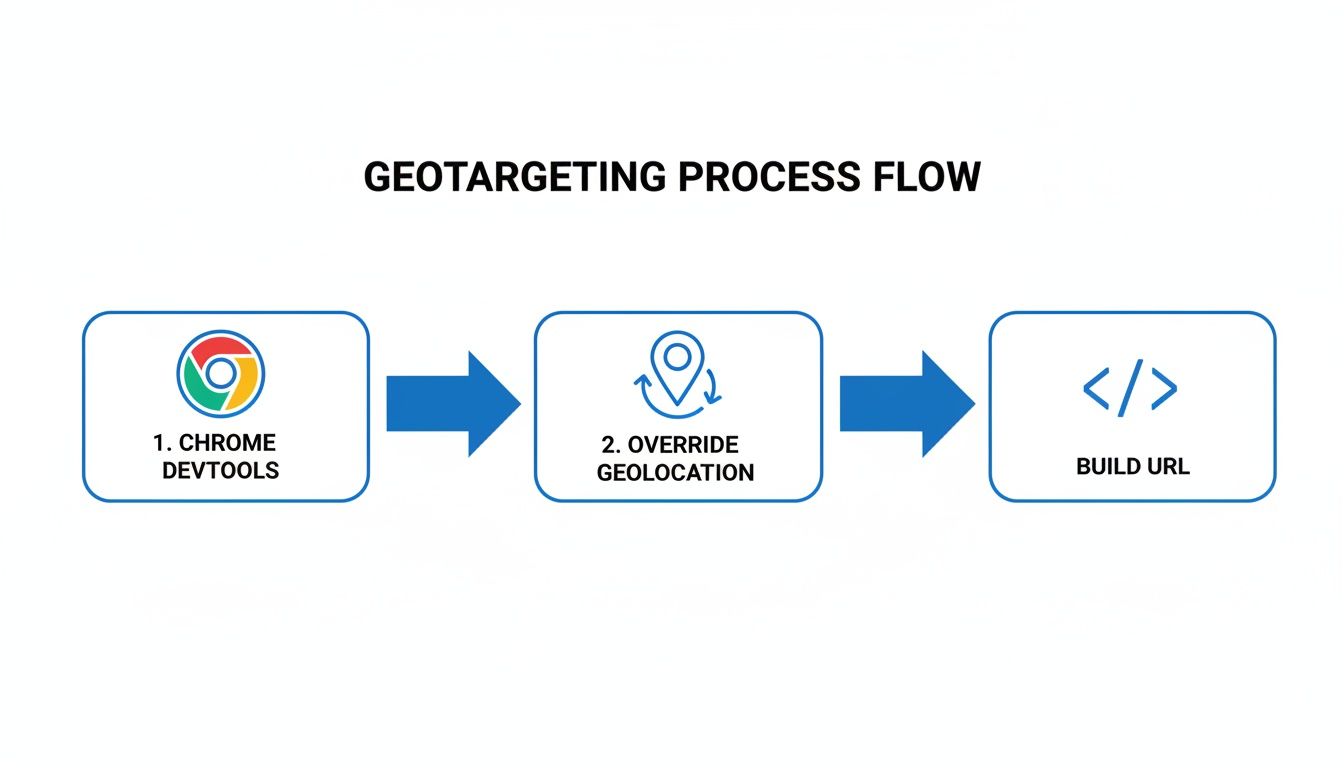
While developers can override location data directly in the browser, VPNs and proxies achieve this at the network level, which is what gives you that extra layer of authenticity.
The Tradeoffs for a True-to-Life View
The biggest benefit here is undeniable accuracy. You're seeing the complete user experience, from localized ads to specific SERP features that less robust methods often miss. But this authenticity does come with a couple of potential downsides.
- Slower Speeds: Routing your traffic through a server halfway across the world can sometimes slow down your connection. It's a physical reality of sending data over long distances.
- Cost vs. Quality: Free VPNs and proxies are tempting, but they often come with serious security risks, data logging, or unreliable connections. For any professional work, investing in a reputable, paid provider is non-negotiable.
For anyone who consistently monitors international search results like a local, a high-quality VPN is an indispensable part of the toolkit. It moves you beyond simple SERP checks into a full simulation of the user experience, giving you the most accurate picture of your brand's global visibility.
Ultimately, choosing a VPN or proxy gives you the confidence that you are seeing exactly what your international customers see. This makes it an essential practice for any serious global marketing or SEO analysis.
How to Verify and Monitor Local Search Performance
Changing your Google search location is just the first step. The real win comes from confirming you’re seeing accurate, localized results and then keeping a close eye on that performance over time.
Once you’ve used one of the methods to spoof your location, the first check is dead simple. Scroll right to the bottom of the Google search results page and see what location it lists. If you used Developer Tools to set your location to Austin, Texas, it should say "Austin, Texas" right there. This is your initial proof that Google is buying what you're selling.
But let's be honest, manual spot-checking is not a real strategy. It’s a terrible way to manage local SEO, especially for agencies with multiple clients or businesses with more than one location. One-off checks can't show you trends, track performance over time, or catch problems that only pop up intermittently.
The Challenge of Scalable Local Monitoring
The problem gets even trickier when you factor in AI-powered search. AI assistants like Gemini and ChatGPT are now delivering hyper-localized, conversational answers that bypass traditional search results entirely. A quick manual search might show your website ranking number one, but what is the AI assistant telling users about your business?
Is it recommending your top competitor instead? Is it quoting the wrong business hours? You'd never know.
Manually changing your Google search location to verify rankings is like taking a single photograph of a moving train. It captures one moment perfectly but tells you nothing about where it's been, where it's going, or how fast it's moving.
To really get the full picture, you need a system that watches these results constantly and at scale.
From Manual Checks to Automated Intelligence
This is where automated monitoring platforms become non-negotiable. These tools go way beyond simple rank tracking to give you a complete, ongoing view of your brand's local visibility—especially within those critical AI-generated answers.
They completely solve the scalability problem by:
- Tracking AI Recommendations: They listen to what AI assistants are saying about your brand in different cities and regions, showing you exactly when and where you’re being recommended.
- Flagging Inconsistencies: The system can automatically detect when an AI reports incorrect hours, a wrong address, or even shares negative sentiment about your brand's reputation.
- Providing Competitive Insights: You can see which competitors are getting mentioned most often for your most important local search terms.
For agencies and brands, this delivers actionable intelligence that you would absolutely miss with manual checks. You can find out which rivals are getting all the AI love by using sophisticated competitor AI analysis tools built specifically for this job.
Of course, while you're monitoring performance, it’s always a smart move to implement broader local SEO strategies for a fully booked website to make sure all your hard work is pulling in the same direction. Switching to an automated approach transforms the painful task of monitoring local SERPs and AI answers from a tedious chore into a powerful strategic advantage.
Common Questions About Changing Your Google Search Location
After running through the different ways to change your search location, a few questions always seem to pop up. Let's tackle them head-on to clear up any confusion and help you figure out the best approach for what you're trying to do.
A big one is whether it's illegal to use a VPN to change your location. The short answer is no. In most countries, using a VPN is perfectly legal for legitimate reasons, like SEO research or watching your favorite shows from abroad. The key is simply to use it responsibly and stick to the terms of service of the sites you visit.
Another common worry is whether Google will penalize your account for "spoofing" your location. For the kinds of tasks marketers and SEOs do—like checking local rankings or verifying ad campaigns—this is a total non-issue. These methods are standard practice in the digital marketing world.
Will This Mess With My Google Account?
That’s a fair question, but the answer is almost always no. When you use methods like browser developer tools or URL parameters, the change only applies to that specific search, in that specific tab. It doesn't permanently change your Google account's home base or any of your settings.
Your primary Google account settings are tied to the information you’ve provided. Temporarily changing your search location for research won't cause any lasting changes or put your account at risk. Think of it as a sandboxed action.
VPNs are a little different because they change your IP address. This might trigger a security check from Google if it suddenly looks like you're logging in from another country. This is just a standard security measure to protect you, and you can usually clear it up just by verifying it's really you.
How Do I Know If It Actually Worked?
The quickest way to confirm your new location is to scroll all the way to the bottom of the Google search results page. After you've changed your settings and run a search, Google will usually display the city or region it's using to deliver your results. If it matches the location you set, you're good to go.
- For Dev Tools: The location at the bottom should update right after you refresh the page.
- For VPNs: Your new IP address should reflect the country you've connected to. You can double-check this with any online IP checker tool.
- For URL Parameters: The search results themselves will be localized, even if the location displayed at the bottom of the page still shows your physical one.
Choosing the right technique all comes down to what you need to accomplish, whether it's a quick country-level check or a precise, block-by-block local analysis. For more deep dives into SEO and digital marketing strategies, feel free to explore the other guides on our company blog.
Ready to see what AI is saying about your brand in every location that matters? TrackMyBiz offers a powerful solution to monitor your AI visibility, track competitor mentions, and protect your brand's reputation across all major AI assistants. Start your free scan today at https://trackmybusiness.ai.
